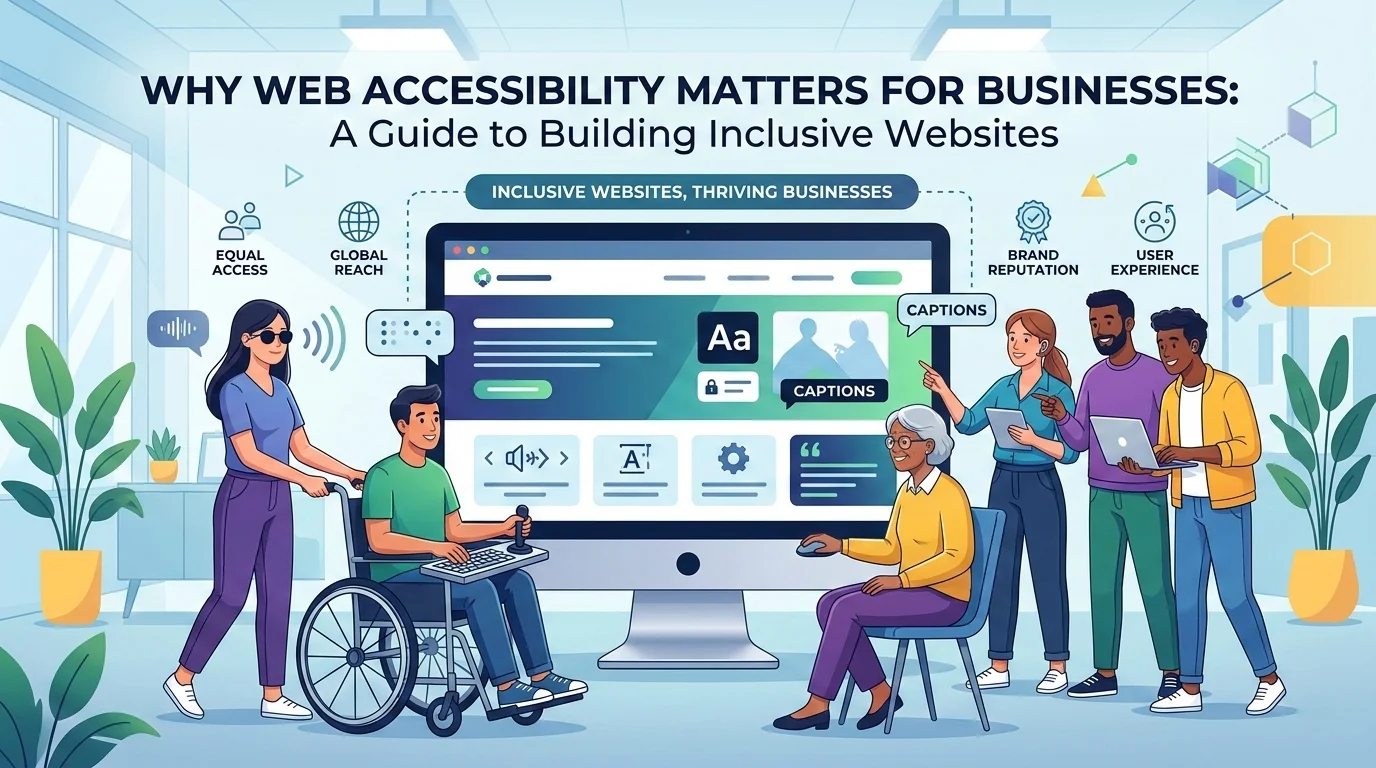
As businesses increasingly rely on their websites to connect with customers, accessibility has become a critical part of building effective digital experiences. Web accessibility ensures that websites can be used by everyone, including people with disabilities, while also improving usability, search engine visibility, and overall business performance.
For modern organisations, accessibility is no longer optional. It is an essential component of high-quality web development that benefits both users and businesses.
What Is Web Accessibility?
Web accessibility refers to the practice of designing and developing websites so that people with a wide range of abilities can access and use them effectively. This includes users who may rely on assistive technologies such as screen readers, keyboard navigation, voice control software, or alternative input devices.
Accessibility is guided by internationally recognised standards such as the Web Content Accessibility Guidelines (WCAG), which provide best practices for making digital content more accessible. Most regulations currently reference WCAG Level AA as the minimum standard websites should meet.
These guidelines cover a wide range of considerations, including:
- Text readability and colour contrast
- Proper use of headings and page structure
- Alternative text for images
- Accessible navigation and menus
- Keyboard-friendly interactions
- Clear and meaningful link descriptions
When these elements are implemented correctly, websites become easier for everyone to use.
The Business Case for Web Accessibility
While accessibility is often discussed in terms of inclusivity, it also provides significant business advantages.
1. Improved User Experience
Accessible websites tend to have clearer layouts, better content hierarchy, and more intuitive navigation. These improvements help users find information faster and complete tasks more easily.
Simple practices such as logical headings, readable text, and well-labelled buttons reduce friction for all visitors, not just those with disabilities.
2. Better Search Engine Optimisation (SEO)
Many accessibility best practices overlap with SEO fundamentals.
Search engines rely on structured, well-organised content to understand webpages. Accessible websites typically include:
- Semantic HTML structure
- Clear heading hierarchy
- Descriptive alternative text for images
- Meaningful link text
These elements make content easier for search engines to crawl and index, which can improve rankings and organic traffic.
3. Higher Conversion Rates
When users can easily navigate a website and understand its content, they are more likely to take action.
Accessibility improvements reduce barriers that might otherwise prevent visitors from completing tasks such as:
- Filling out forms
- Making purchases
- Signing up for services
- Contacting a business
Even small usability improvements can significantly increase conversion rates.
4. A Larger Potential Audience
Accessibility expands the number of people who can successfully use a website.
Globally, over one billion people live with some form of disability. Additionally, many users experience temporary or situational challenges, such as:
- Poor lighting conditions
- Small mobile screens
- Slow internet connections
- Injuries affecting hand mobility
Consider this scenario: your website’s body text has poor colour contrast. On a bright day, someone viewing your site on their mobile phone may struggle to read the content due to screen glare. If the text is difficult to read, many users will simply give up and leave your site.
Accessible design helps ensure these users can still interact with digital content effectively.
Accessibility and Legal Compliance
Many countries now require digital services to meet accessibility standards. Organisations that fail to meet accessibility requirements may face complaints, legal action, or regulatory penalties.
While laws vary by region, many reference compliance with the Web Content Accessibility Guidelines Level AA as the expected benchmark.
Taking proactive steps to improve accessibility helps reduce legal risk while demonstrating a commitment to inclusive digital services.
Accessibility Is Not a One-Time Fix
One of the most common misconceptions about accessibility is that it can be solved with a single update or plugin. In reality, accessibility is an ongoing process that should be integrated throughout a website’s lifecycle.
Effective accessibility strategies typically include:
- Designing with accessibility in mind from the start
- Using automated tools to detect common issues
- Performing manual accessibility testing
- Monitoring and fixing issues as content changes
Just like SEO or website security, accessibility requires continuous attention and improvement.
Practical Steps Businesses Can Take
Organisations do not need to rebuild their websites overnight to begin improving accessibility. Instead, they can take a structured and incremental approach.
Start With High-Impact Areas
Prioritise the parts of your website that have the greatest business impact, such as:
- Navigation menus
- Contact forms
- Checkout pages
- High-traffic landing pages
Improving these areas first ensures the largest number of users benefit quickly.
Use Automated Accessibility Tools
Accessibility scanning tools can quickly identify common issues such as:
- Missing alternative text for images
- Colour contrast problems
- Improper heading structures
- Broken or unclear links
These tools help developers and content editors identify and fix accessibility problems early.
Follow Semantic HTML Best Practices
Proper use of semantic HTML improves accessibility for assistive technologies and helps search engines understand page content.
Examples include:
- Using headings (H1, H2, H3) in logical order
- Ensuring links describe their destination
- Using buttons for actions instead of links
- Including descriptive labels for form fields
These small technical improvements have a significant impact on usability.
Include Accessibility in Ongoing Website Maintenance
Accessibility should be part of routine website management. Regular checks help ensure that new content, updates, and design changes do not introduce new barriers.
Many organisations include accessibility monitoring as part of their website maintenance or support plans.
Accessibility Benefits Everyone
A key principle of accessibility is that improvements designed for specific users often benefit everyone.
For example:
- High colour contrast helps users read screens in bright sunlight.
- Clear navigation helps visitors find information faster.
- Keyboard navigation improves efficiency for power users.
- Well-structured content is easier for search engines to index.
Accessibility ultimately leads to better digital experiences for all users.
Building Better Websites Through Accessibility
As the web continues to evolve, accessibility is becoming an essential part of modern web development. Businesses that invest in accessibility not only support inclusive design but also improve usability, reach a wider audience, and strengthen their digital presence.
By adopting accessibility standards, monitoring website performance, and continuously improving digital experiences, organisations can build websites that work better for everyone.
Accessible websites are not just compliant, they are better, more effective websites.